If this is your first visit, be sure to
check out the FAQ by clicking the
link above. You may have to register
before you can post: click the register link above to proceed. To start viewing messages,
select the forum that you want to visit from the selection below.
waoo... dats a nice speed. well last week i went to a friends office who is working in a high speed fiber optics broadband network for corporate users and i was amazed to see the speed he got there. It was just above 300MBps as for the downloading. That's some speed man...
Well, the BT engineer has been and gone, but of course things have not gone as smoothly as I would have wished for. I'm having to use mobile broadband via my phone to type this
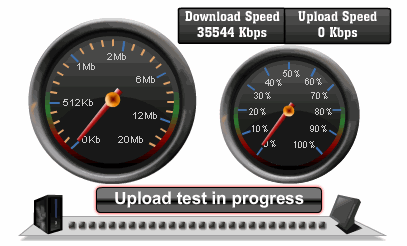
Mmmm.. lovely download speed, shame about the upload speed (zero!).
Mine is not totally smooth either I get great speeds via ethernet, but wireless is very erratic. I have tried all the channels on the hub, tried switching everything else off in the house, different rooms etc. I have g rated and n rated wireless on netbook and laptop.
An engineer is calling me tomorrow as their must be a problem with the wireless part of the hub as I got half a 0.6 Mbps through to 20 Mbps
Did a test on both today got 37 via ethernet and 10 via n wireless
Mine is not totally smooth either I get great speeds via ethernet, but wireless is very erratic. I have tried all the channels on the hub, tried switching everything else off in the house, different rooms etc. I have g rated and n rated wireless on netbook and laptop.
An engineer is calling me tomorrow as their must be a problem with the wireless part of the hub as I got half a 0.6 Mbps through to 20 Mbps
Did a test on both today got 37 via ethernet and 10 via n wireless
Are you getting a good wireless signal strength?
I'm using a D-Link DIR-655 wireless router (we have one at the office and at home) and a separate VDSL modem (only the modem was supplied by the BT engineer). The router is pretty good spec.; Wireless N support, Gigabit Ethernet, etc.
My desktop PC here at the office is connected to the router via Ethernet cable, but my laptop (also Wireless-N capable) is not usually connected using an Ethernet cable so it will be interesting to see if I get similar throughput to the desktop machine.
Thanks for the tip about international speed-testing
The new fibre broadband installation here is still unusable
I already set up some options so that you can minimize the time you need to learn Japanese. Well, I mean the highest reliable mode, which in turn means it takes a bit longer (around 30 sec.). When a number is shown at the upper right of the box it means the number of people waiting. (usually one or two)
Just click the bottom box which says "測定開始" (=start measurement), after JAVA installation finishes. (see attached pic., if necessary.)
Many thanks for this helpful link.
I now tested it but ...
the results shown have big discrepancies against the one I get from an internal speed test link.
So I'm a bit confused.
The download speed is not as fast as had been hoped for, but it's still about six times faster than our ADSL connection, while we were told to expect 6Mbs upload speed, and we actually have 25% better than that at 7.5Mbs.
The ISP monitors and adjusts as necessary the line over the next 10 days so we could see some changes in that time.
I'm using a D-Link DIR-655 wireless router (we have one at the office and at home) and a separate VDSL modem (only the modem was supplied by the BT engineer). The router is pretty good spec.; Wireless N support, Gigabit Ethernet, etc.
My desktop PC here at the office is connected to the router via Ethernet cable, but my laptop (also Wireless-N capable) is not usually connected using an Ethernet cable so it will be interesting to see if I get similar throughput to the desktop machine.
Thanks for the tip about international speed-testing
The new fibre broadband installation here is still unusable
Ian
My signal strength is full and reading excellent, the router is in line of sight too. The original engineer could not understand why either, must be a faulty hub or software I would think.
I see your enjoying the round the world speedtest have you tried pingtest yet?
We process personal data about users of our site, through the use of cookies and other technologies, to deliver our services, personalise advertising, and to analyse site activity. We may share certain information about our users with our advertising and analytics partners. For additional details, refer to our Privacy Policy.
By clicking "I AGREE" below, you agree to our Privacy Policy and our personal data processing and cookie practices as described therein. You also acknowledge that this forum may be hosted outside your country and you consent to the collection, storage, and processing of your data in the country where this forum is hosted.
 Tweet
Tweet


 I have never measured international speed.





 )
)


Comment