Announcement

Collapse
No announcement yet.

Win a copy of Adobe Photoshop CS4 in December with DPNow

Collapse
X
 
  • Filter
  • Time
  • Show
Clear All
new posts

  • #16
    Re: Win a copy of Adobe Photoshop CS4 in December with DPNow

    Originally posted by Ian View Post
    Glad to be of help, Audrey! Is the mouse a laser one? It should work on most surfaces without a mouse mat. Problem surfaces are glass, or other highly reflective surfaces with little or no surface details.

    Ian
    This is the model:

    Discover the innovative world of Logitech United States and shop everything MX, Mechanical Keyboards, Wireless Mice, Webcams, Headsets, Software, and more


    It says it works on glass, but it doesn't

    It doesn't work on my desk, but it does work on the filing cabinet. When I have a month to spare, I will probably try to contact their service department.
    Audrey

    https://www.flickr.com/photos/autumn36/

    Comment


    • #17
      Re: Win a copy of Adobe Photoshop CS4 in December with DPNow

      Originally posted by Autumn View Post
      This is the model:

      Discover the innovative world of Logitech United States and shop everything MX, Mechanical Keyboards, Wireless Mice, Webcams, Headsets, Software, and more


      It says it works on glass, but it doesn't

      It doesn't work on my desk, but it does work on the filing cabinet. When I have a month to spare, I will probably try to contact their service department.
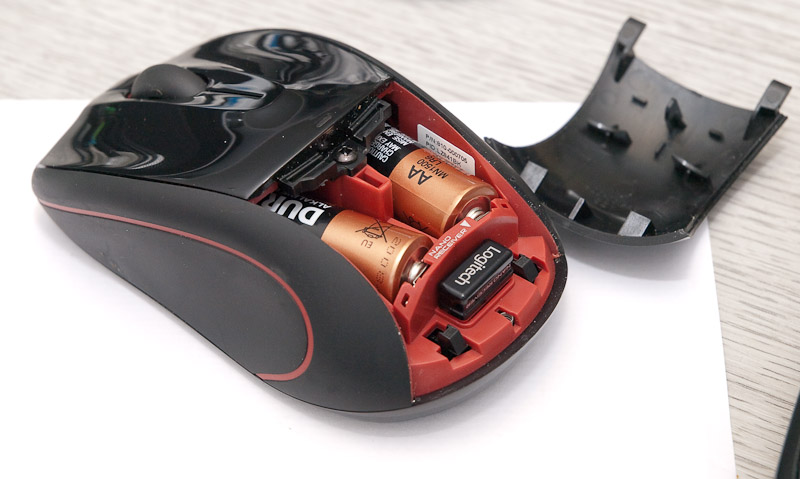
      Yours looks like a later version of my travel mouse It has the same nano receiver as yours. And I have learned from you - I had no idea there was a slot under the battery cover to store the receiver dongle in
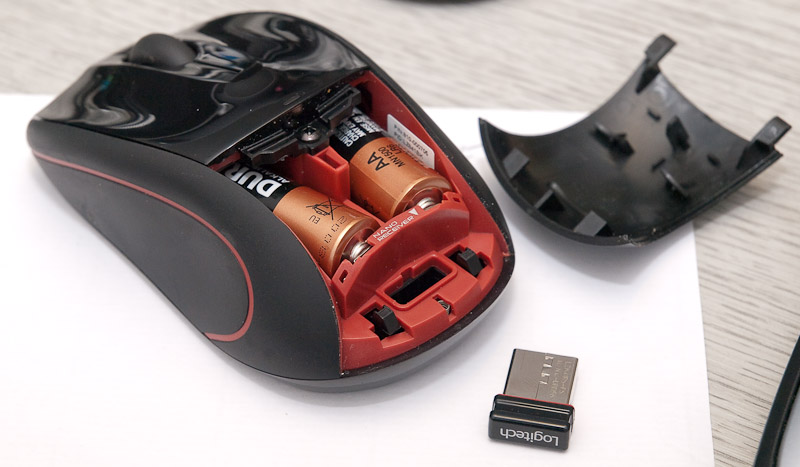


      We have some older wireless mice - same basic design as the one above, but the dongle is bigger and stows externally on the underside of the mouse.

      Ian
      Founder/editor
      Digital Photography Now (DPNow.com)
      Twitter: www.twitter.com/ian_burley
      Flickr: www.flickr.com/photos/dpnow/
      Pinterest: www.pinterest.com/ianburley/

      Comment


      • #18
        Re: Win a copy of Adobe Photoshop CS4 in December with DPNow

        Mine doesn't do anything special as far as I can see. Obviously it scrolls back and forth, but not from side to side. Although before I got the mouse going I did see sideways scroll arrows on the screen when using the touchpad, but I didn't really know how to use them.

        On my Netto Laser mouse I can click forwards and backwards. This is great in LR as when in the Develop mode I only have to click to move to the next pic, but when in Library mode scrolling can be used to move back and forth. Hope you understand what I am saying.
        Audrey

        https://www.flickr.com/photos/autumn36/

        Comment


        • #19
          Re: Win a copy of Adobe Photoshop CS4 in December with DPNow

          Originally posted by Autumn View Post
          Mine doesn't do anything special as far as I can see. Obviously it scrolls back and forth, but not from side to side. Although before I got the mouse going I did see sideways scroll arrows on the screen when using the touchpad, but I didn't really know how to use them.

          On my Netto Laser mouse I can click forwards and backwards. This is great in LR as when in the Develop mode I only have to click to move to the next pic, but when in Library mode scrolling can be used to move back and forth. Hope you understand what I am saying.
          You should be able to have some left/right functionality by nudging the wheel left or right. By doing that while editing this post I make the cursor go left or right along the sentence. I can see the little arrow heads on either side of your mouse's wheel, so I'm sure you can do this. You may be able to reprogram the functionality if you install the Logitech mouse software.

          Ian
          Founder/editor
          Digital Photography Now (DPNow.com)
          Twitter: www.twitter.com/ian_burley
          Flickr: www.flickr.com/photos/dpnow/
          Pinterest: www.pinterest.com/ianburley/

          Comment


          • #20
            Re: Win a copy of Adobe Photoshop CS4 in December with DPNow

            Originally posted by Ian View Post
            You should be able to have some left/right functionality by nudging the wheel left or right. By doing that while editing this post I make the cursor go left or right along the sentence. I can see the little arrow heads on either side of your mouse's wheel, so I'm sure you can do this. You may be able to reprogram the functionality if you install the Logitech mouse software.

            Ian
            No nothing happens when I push the wheel to the left or right. I'll look into install the software sometime though.
            Audrey

            https://www.flickr.com/photos/autumn36/

            Comment


            • #21
              Re: Win a copy of Adobe Photoshop CS4 in December with DPNow

              With my mouse I press the scroll wheel down and a small circle appears on my screen with four arrows in it. Moving the mouse in the direction of any of the arrows makes the page scroll left, right, up or down.
              Regards Ron. Live each day as if it was your last. One day you will be right. Down sized to Nikon s7000 compact camera.

              Comment

              Working...
              X