|
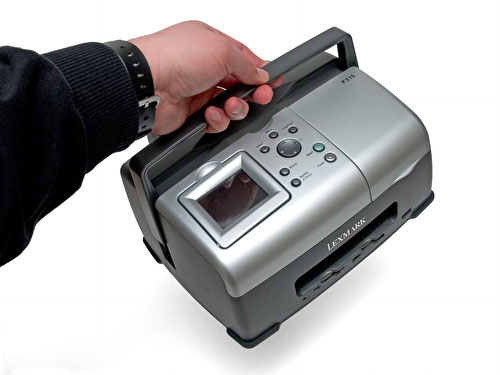
The P315 is definitely meant to be carried around, though compared to a HP 300-series Photosmart, for example, its not especially small or light.

A close-up of the front of the printer reveals direct print memory card slots and PictBridge port.
There is no USB to PC port and apart from a PictBridge compatible camera can external USB storage device can't be connected. There is also no paper rest for prints as they emerge from the printer - they land straight onto the desk space that is hopefully in front of the unit.

All the controls are located in one place to the right of the colour flip-up screen.
The panel that bears the control legends is user-fitted and we found some of the snap-in lugs that locate this panel were difficult to press home.

The screen can be tilted to vertical. It doesn't get in the way of the carry handle.

Note the lowered position of the input paper rest to shield the unit from dust.

Here are a couple of views of the screen and input paper rest raised


At the rear is a removable AC power adapter module. It's a world-standard adapter that can cope with 100V-230V, 50 or 60Hz AC.

There are no data ports on the back as you can't connect this printer to a PC.

This side view shows how the carry handle slides up and down.

On the right hand side (viewed from front) a lid lifts to reveal the single ink cartridge.

By pressing the blue tab, access to the cartridge is provided after the spring-loaded top of the cartridge carrier pops-up.

Removing and replacing a cartridge is straightforward. The printer will then offer to auto-align the new cartridge.

The Lexmark No.33 cartridge is the standard part, but a higher-capacity No.35 cartridge offers much better value for money.

Contacts at the rear of the cartridge enable the printer to communicate with the built-in print head of the cartridge.

The print head: note the three lines of ink nozzles, one each for cyan, magenta and yellow.
|